Category: UniFi

Network Upgrade – Unifi USW-Flex Switch

With the warmer weather sitting outside in the Garden (Social Distancing applied) I noticed I was getting black spot’s where my WiFi strength wasn’t good enough. Unifi have recently launched a new 5 port out-door poe switch which was on sale at NETXL I managed to bag myself one with the plan to fit it in my garage to expand my poe ports and install an outdoor ap (UAP-FLEXHD).

The great thing about this tiny switch it takes power from your poe switch or injector and splits it across the 4 ports available, what wasn’t clear on Unifi website or datasheet is what type of poe it needed to work other than the latest 802.3bt/at poe++.

Seeing that the switch was at its cheapest in UK (£99) I snapped one up and tested with my current setup, My network runs Ubiquiti Edgemax POE-5 router (in switch mode) but nowhere could I find what type of poe it uses other than 47 volt.

The USW-Flex Switch will accept the following poe and will support up-to xx watts across the 4 port:

802.3af – 8 Watts

802.3at – 20 Watts

802.3bt – 46 Watts

And In my setup I was able to attach two G3-Flex camera no problem and when running used between 4-6 Watts adding the UAP-FLEXHD draws a maximum of 10 Watts so if you are planning to purchase one make sure your switch or injector is at least 802.3at.
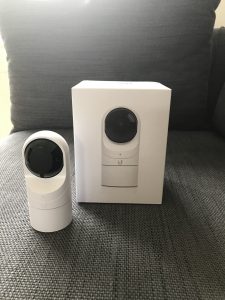
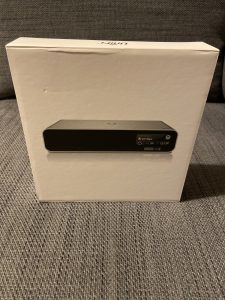
Homebridge – Unifi Protect (G3-Flex Camera)

How to enable Unifi Protect to work with Apple Homekit using a Raspberry pi and the Homebridge application.

I was struggling to find the correct setting to enable Homebridge to connect to my Unifi Protect and G3-Flex camera’s. After alot of back and forth here are the working settings for ffmpeg.


        {
            “cameras”: [
                {
                    “name”: “Camera Name”,
                    “motion”: true,
                    “videoConfig”: {
                        “source”: “-re -rtsp_transport tcp -i rtsp://Cloudkey URL:7443”,
                        “stillImageSource”: “-i http://xxx.xxx.xxx.xxx/snap.jpeg”,
                        “maxStreams”: 2,
                        “maxWidth”: 1920,
                        “maxHeight”: 1080,
                        “maxFPS”: 30,
                        “vcodec”: “h264_omx”,
                        “additionalCommandline”: “-preset slow -profile:v high -level 4.2 -x264-params intra-refresh=1:bframes=0”,
                        “mapvideo”: “0:1”,
                        “mapaudio”: “0:0”,
                        “audio”: false,
                        “debug”: false
                    }
                }
            ],
            “platform”: “Camera-ffmpeg”
        }

UniFi G3-Flex using Different SUBNET/VLAN (UniFi Protect)

How I resolved my issue with running UniFi Protect and UniFi’s G3-Flex cameras in different subnets.


Previously I had been running UniFi Video inside a VM which lived in the same subnet as my cameras with no trouble, since upgrading to UniFi Protect I had no choice but to put the nvr outside my cameras network (as the nvr also acts as my controller for my WiFi).


I wanted to keep my cameras on their own network as I can firewall this off so that anyone plugging in a device other than a camera won’t be able to get on my internal lan.

But removing firewall, enabling MDNS wouldn’t let my nvr see the camera, I also reset the camera to factory defaults, by chance I logged onto the webpage of my camera using the default user name and password “ubnt” and manually added the IP of my new nvr under the UniFi Video server and hey presto the camera appeared on in UniFi Protect.